
iOS · iPhone & iPad
Time & Date Calc - Aviation
Everyday time and date tools with aviation-grade forecasting, trip fuel planning, and shared expense settle-up—built natively for iPhone and iPad.
Overview
Time & Date Calc - Aviation is an all-in-one suite for time arithmetic, aviation-grade forecasting, trip fuel planning, date math, time zones, countdowns, shared expenses, and a full numeric calculator. It is built for people who need readable numbers and a steady workflow on iPhone and iPad—whether you are on the ramp, in maintenance control, or planning a trip with friends.
When you open the app, tools sit under four bottom tabs: Time Tools (Smart Time calc, Aviation forecast, Fuel Calculator), Date Tools (date shift, span, age, workdays), Utilities (arithmetic calculator, time zones, countdowns, Expense Splitter), and Settings (appearance, preferences, Premium, legal links, feedback). Tap a category, pick a row, then work inside that screen’s navigation stack.
Every major tool follows the same rhythm: enter values, run the calculation, review results. Where it helps, you can save and revisit work through history (and, in selected tools, Records for grouped sessions). Optional Premium removes third-party ads, unlocks advanced layout options for Smart Time calc, improves history and export limits, and is described in full inside the app.
Calculations, history, records, countdowns, trip data, and preferences stay on your device; KavNik Technologies does not run a backend that receives your inputs or results for normal use. The free tier may show third-party advertising.
For the Android edition on Google Play, see Time & Date Calculator.
Navigation (as in the app)
- Time Tools — Smart Time calc; Aviation forecast; Fuel Calculator.
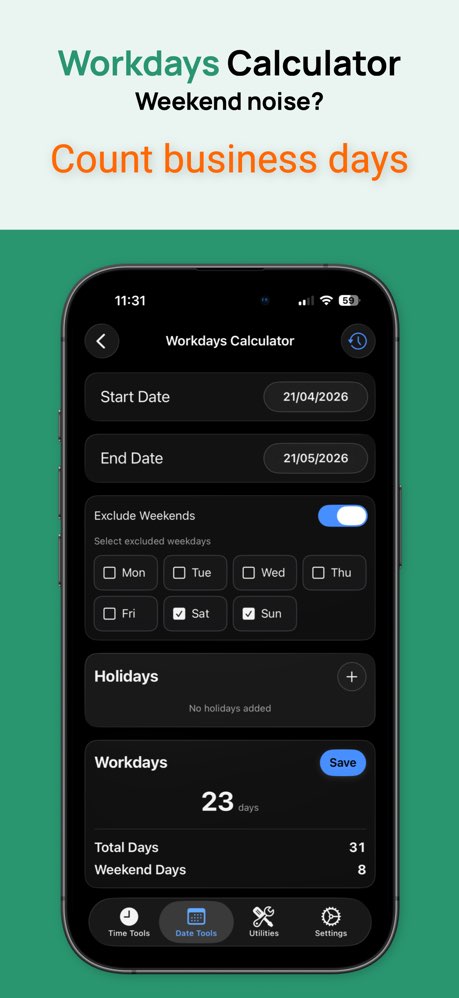
- Date Tools — Date Calculator, Date Difference, Age Calculator, Workdays Calculator.
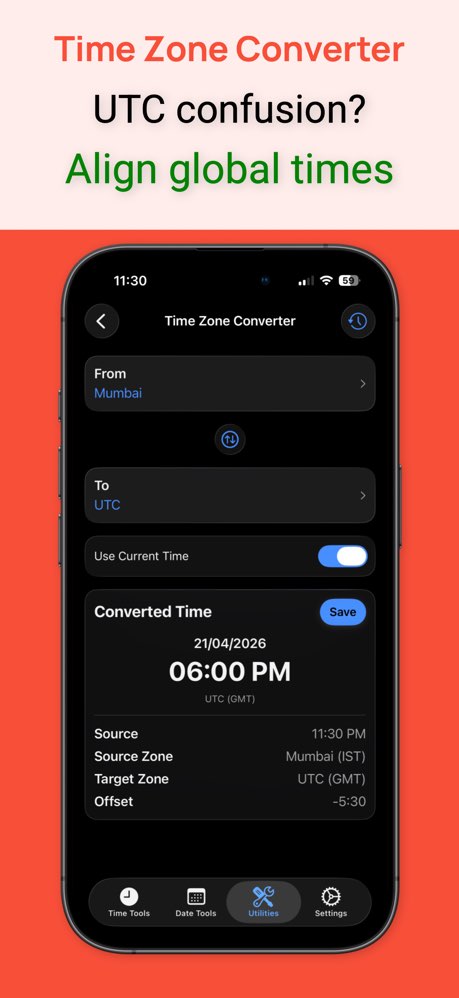
- Utilities — Calculator, Time Zone Converter, Countdown Timer, Expense Splitter.
- Settings — theme and accent, default opening tool, haptics and sounds, decimal places, date and time format, first day of week, Premium, privacy and terms links, version, rate/share, and feedback.
Core features
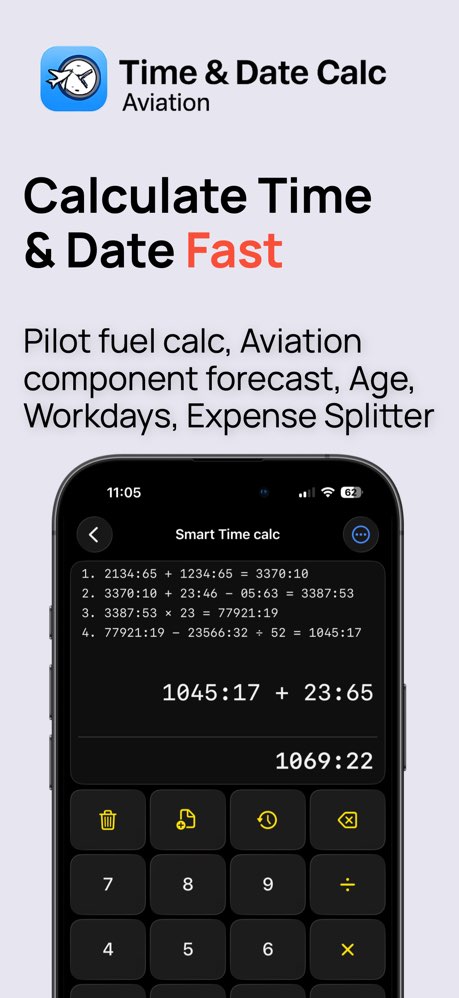
Smart Time calc
- Time-based arithmetic with a dedicated in-app keypad—not a generic clock picker.
- Basic layout focuses on addition and subtraction of time; full layout adds multiplication and division of time for Premium users (free tier may prompt to upgrade when you choose full).
- Toolbar actions typically include clear, Record, History, and backspace; exact icons match the live app.
- History keeps past runs with duplicate suppression where applicable. Records let you group related sessions next to linear history.
Aviation forecast
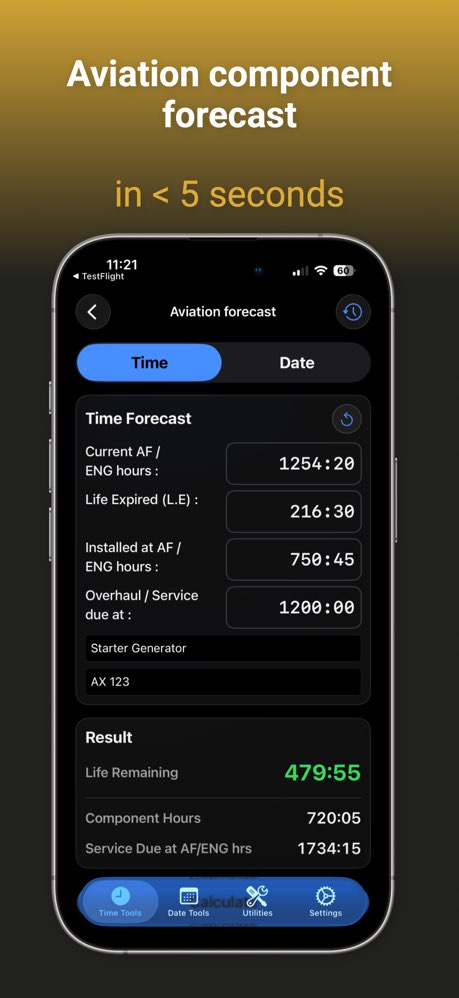
Advanced planning for hours and calendar due dates. Use it when you track airframe or engine style hours, inspection intervals, and calendar-based servicing—whether you are in continuing airworthiness, line maintenance, or flight operations.
Switch at the top between Time mode (fields such as current AF/ENG hours, life expired, installed-at, due-at-hour targets—follow on-screen labels) and Date mode (manufacture or installed anchors, interval in years, months, weeks, or days, with a clear due date and life remaining). Optional component name and tag keep parallel jobs identifiable in history.
- Time mode — custom keypad for time-style fields; tap Calculate for outputs such as current component hours, life remaining, and due-at-hour style results.
- Date mode — supports decimal intervals; separate history from time mode so hour math and calendar math stay apart.
- Premium may offer professional export where the app exposes it.
Fuel Calculator
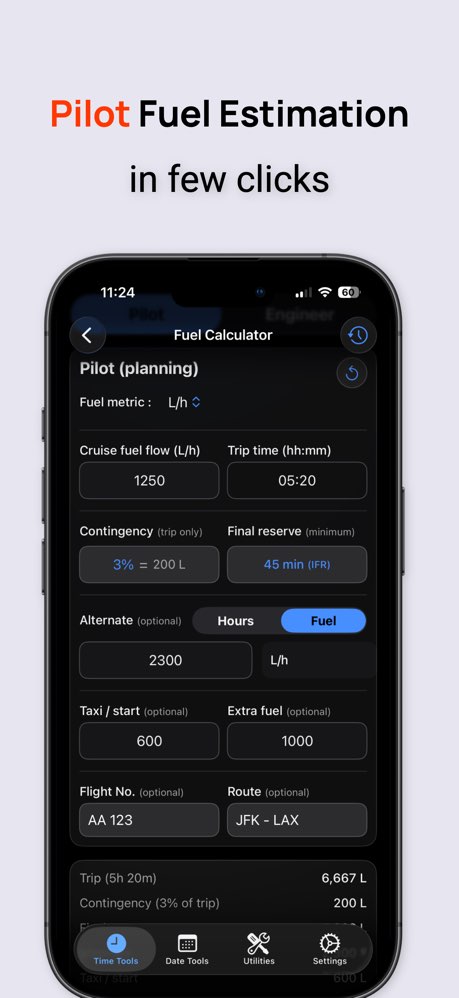
Trip and planning aid—not a substitute for approved flight planning, dispatch, or regulations. The tool helps you structure fuel thinking with transparent inputs and outputs.
- Pilot-style mode — enter cruise fuel flow (with a unit you choose, such as litres per hour or US gallons per hour), trip time, contingency as a preset or custom percentage, and a final reserve rule (for example day VFR, night VFR, IFR, or your own minute value).
- Alternate — supply either an alternate fuel quantity or an alternate flight time (the app converts using your cruise flow where applicable).
- Taxi and extra fuel fields capture additional block-style allowances you want in the total.
- Optional flight number and route text for notes on printouts or history context.
- Results break down trip fuel, contingency, reserve, alternate, and total fuel so you can compare against tanks, policy, or checklist figures.
- Ground / engineer-style mode — enter total fuel on board (or loaded), block or flight time, and optional aircraft reference to obtain average burn rate in your chosen flow unit.
- Custom keypads for time and numeric fields reduce reliance on the system keyboard on a busy flight deck or in the hangar.
- History stores past runs so you can recall a profile or briefing figure later (limits follow your tier and app version).
Calculator (arithmetic)
- Full standard arithmetic for plain numbers—not for time units.
- Large expression and result area with a familiar keypad (percent, parentheses, operators).
- History and Records behave like Smart Time calc for reusing and grouping sessions.
Date Tools
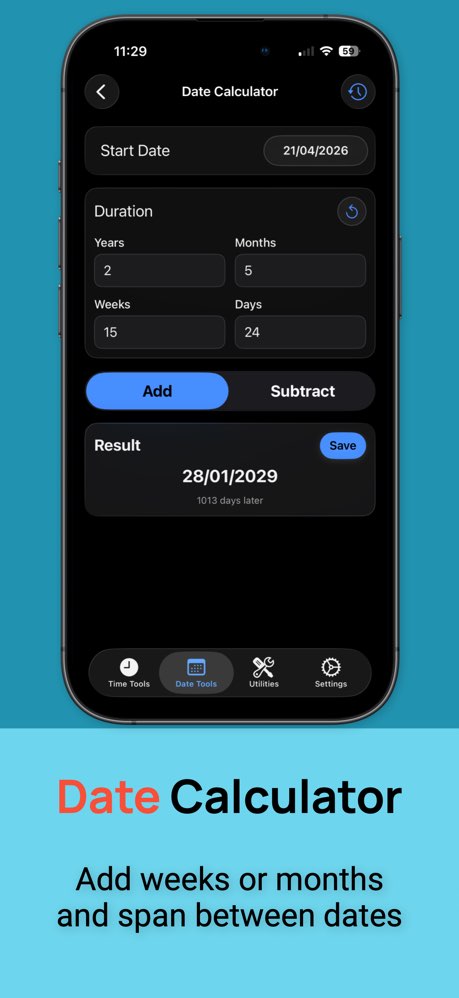
- Date Calculator — add or subtract intervals from a date for “what date is…?” questions; keeps its own history.
- Date Difference — span between two calendar dates; history for recent comparisons.
- Age Calculator — age between a birth date and a reference date, with years, months, and days; may link to related detail in-app; often a tighter free-tier history cap—confirm in Settings or the app.
- Workdays Calculator — business days between dates; weekends excluded; optional holiday handling where the UI provides it.
Time Zone Converter
- Convert local time between regions without leaving the app.
- History for meetings, fleet coordination, or personal calls across zones.
Countdown Timer
- Create and manage multiple countdowns for events, maintenance, or personal reminders.
- Uses notifications when you allow them. Free tier limits simultaneous active incomplete timers—see the app for the current cap.
- Completed timer history helps you audit what already fired; Premium relaxes caps where applicable.
Expense Splitter
Split trip or household costs fairly and see the smallest number of repayments to settle everyone up.
- Organize spending by trip (or workspace): open the Expense Splitter list, add a trip, then open it to work inside that trip.
- Add people who share costs (each person has a display name built from first and optional last name).
- Add expenses with amount, who paid, and optional note or category so the ledger matches real life.
- The app shows a running total of entered expenses and how many line items you have logged.
- Tap Calculate (or the equivalent result action) to compute each person’s equal share of the trip total, individual balances (paid vs fair share), and a simplified settlement list of who should pay whom—minimizing back-and-forth transfers.
- Review or adjust people and expenses, then recalculate whenever the plan changes.
- History (where offered) keeps snapshots of past settlements so you can refer back after the trip.
History system
Each calculator and converter keeps its own history so results do not mix between tools.
- Entries store the inputs and results you used so you can audit a line item later.
- Duplicate prevention avoids stacking identical runs where the app supports it.
- Free users see a capped number of recent entries per tool (confirm the limit in-app); Premium typically unlocks unlimited retention and export where available.
- Smart Time calc and the arithmetic Calculator also support Records for grouping sessions alongside linear history.
Free-tier limits and Premium
Unless Premium is active, the app may cap history, records, active countdowns, and exports (exact numbers appear in the app and may change between versions). Premium removes third-party ads, unlocks the full Smart Time layout, broadens history and export options where applicable, and shows current pricing in Settings and on the paywall.
In-app purchases (StoreKit)
Purchases are processed by Apple via StoreKit. Available plans (for example subscription or one-time unlock) and prices are shown in the app and on the App Store listing for your region.
Also available: Time & Date Calculator for Android (Google Play)
Also available: Expenses Tracker & Splitter (iOS) — My Expenses rollups, shared spaces, EMI, cards & wallets, widget, and Shortcuts (https://www.kavniktech.com/apps/expenses-ios/index.html).
For step-by-step navigation, see Learn how to use. For support, use Send Feedback in Settings or contact us.